The Secret Tools Part 2 - Navigating without a GPS
Support Sailing with Thomas
At WeBoating.com, we profoundly acknowledge the unwavering dedication that Sailing with Thomas invests in crafting each and every video or voyage. Their passion for delivering exceptional ocean content shines through every frame, and it's a labor of love that deserves your attention.
We invite you to watch their captivating videos here and actively engage with their content, including their social media links above. Liking, commenting, and sharing their work goes a long way in fueling their creative fire.
We're also inviting you to explore the gear, sponsorships, and boat partnerships highlighted in the "The Secret Tools Part 2 - Navigating without a GPS" video description, or directly on YouTube. By engaging with these offerings or purchasing services and items, you directly support Sailing with Thomas, their collaborators, and the brands they're associated with.
To ensure you never miss an offshore update, consider visiting their official YouTube Channel to subscribe, like, and join their community directly.
If you have any feedback, corrections, or additional information about Sailing with Thomas or their videos, please use the comment form below to share your thoughts with us.
Thank you for being a part of our community and supporting the creators we cherish. Your time and support truly matter!
Can AI make manual paper charting faster and 100% accurate? In Part 2 of our Google AI Navigation series, we bridge the gap between high-tech planning and old-school execution using the Master Navigation Table.
It’s time to take those digital calculations and apply them manually to our paper charts. In this tutorial, we will use traditional tools like parallel rulers, dividers, and a compass rose to plot our route seamlessly—proving that cutting-edge AI is a sailor's best friend, even offline. We also take it a step further by verifying our new midpoints! We feed our manual chart data back into the digital realm to cross-check every single coordinate for zero-error navigation.
You can copy the last version of this prompt (V7.4) below:
Role: Marine Data Engineer
Task: Convert CSV into a Navionics-compliant GPX 1.1 file with unique, collision-proof labels.
### INPUT DATA STRUCTURE
The input will be a CSV block with these columns:
[WP #], [Dist Next], [Coordinates DMS], [True Brg], [Decl], [Mag C], [Dev], [Comp C], [ETAs...]
### PROCESSING RULES
1. Coordinate Conversion (CRITICAL): - Input format is DMS (e.g., 01°13'38"N 103°32'11"E). - Convert to WGS84 Decimal Degrees for the GPX output. - Formula: Degrees + (Minutes/60) + (Seconds/3600). - Precision: Round to exactly 6 decimal places. - Hemisphere Logic: South (S) and West (W) must be negative numbers.
2. Chartplotter Metadata Injection: - For every Waypoint tag (wpt), generate a Comment tag (cmt). - Comment Format: "Comp C: [Comp C Value] | Dist: [Dist Next]nm" - This ensures backup manual bearings are visible directly on the digital plotter screen.
3. Route Sequence Construction: - Generate the individual Waypoint (wpt) list first. - Follow it with a single Route (rte) container linking ALL points (Primary + Midpoints) in chronological order.
### TARGET XML SCHEMA (Strict GPX 1.1) Instruct the AI to generate a clean XML code layout using standard GPX 1.1 formatting rules, following these parameter blocks: - Root Element: Start a standard GPX container tagged with version 1.1, stating the creator as MasterNavBackup, and applying the baseline Topografix GPX namespace link. - Metadata Sub-block: Insert a metadata section declaring the custom Route Name. - Waypoint Sub-blocks: Generate individual waypoint tags for every entry. Inject the Decimal Latitude and Decimal Longitude directly into the waypoint parameters. Inside each waypoint, include sub-tags for the specific WP number as the name, alongside a separate comment tag formatted exactly as: "Comp C: [Value] | Dist: [Value]nm". - Route Sub-block: Construct a trailing route section named "[Route Name] (AI Verified)". Populate it chronologically with ordered route-point tags tracking every sequential waypoint coordinate, each mirroring its specific WP number label. - Close Container: Terminate the GPX structure.
### DATA SOURCE
[PASTE YOUR COPIED CSV DATA HERE]
The prompt above is free to use, but make sure to check your data, and also please remember navigation is always done at your own risk.
0:00 - Introduction: High-Tech Meets Old-School
1:20 - Why you should not blindly trust your chart plotter
2:28 - Plotting the AI Master Navigation Table Manually
7:08 - True bearing trap on your autopilot
13:58 - The Reverse Verification Prompt: Paper Back to Digital
Final Route Verification
Watch Part 1 - Get the Master Navigation Table Template for free https://youtu.be/K5rFj7-CuIQ
If you found this video helpful, please Like, Subscribe, and hit the notification bell for more AI-powered maritime tutorials! Safe voyages! ⛵
Patreon: https://www.patreon.com/Sailingwiththomas
You can even tip me https://paypal.me/SailingwithThomas
If you enjoyed some of the soundtracks in this episode, a full version is found here @SwTMusicOnly
Please also check out my practical channel @PracticalThomas
THANK YOU SO MUCH FOR WATCHING AND SUBSCRIBING!
You can also follow sailing with Thomas on other platforms for almost daily updated pics and videos, and even find yourself a new T-Shirt:
Facebook: https://www.facebook.com/sailingwiththomas
Instagram: https://www.instagram.com/sailingwiththomas
Shop: https://sailingwiththomascom.wpcomstaging.com/shop/
ABOUT THIS CHANNEL:
I'm a sailor with a YouTube channel and not a YouTuber. Sailing around the world in a Bavaria 55 Cruiser, mostly solo, making videos whenever I have time for it. Comfortable at sea with 4 decades of sailing experience and hundreds of thousands of miles behind me.
Even though this is season 8 on YouTube, I did not make that many videos in the beginning, and obviously not from my entire sailing life. Before full-time sailing 7 years ago, I sailed several seasons in the Mediterranean, and obviously also in Scandinavia. I had my first sailboat at age 7 and have been sailing and racing ever since. I also have more than 10 years of experience as a captain in search and rescue at sea in Norway.
Sailing with Thomas
Join Thomas Skarstad of Sailing with Thomas as he documents his high-authority transition from rescue captain to mastering solo circumnavigation aboard his Bavaria 55.
Channel Information:
Social Media Links:
Latest Episodes from Sailing with Thomas
Explore the most recent voyages. Subscribe to the channel to never miss an update!
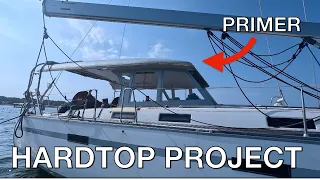
Finally Done with Fiberglass! | Boat Hardtop Project
My hardtop project update covers the final stages of the build. See the completed fiberglass work and the new electrical panel installation. The fiberglass work is finally finished, marking a major milestone for this custom build. I have wrapped up all the necessary design changes and error correct...
Building my Perfect HardTop: Aft Section re Design and lamp Complete
Hardtop built on a Bavaria 55 Cruiser, all done at a mooring where the cockpit is the only workshop. Finally, the dry season is here, and I can make good progress. Redesigning the aft section to gain more headroom at the helm stations. This is not a how-to guide for building a HARD DODGER or HARDTO...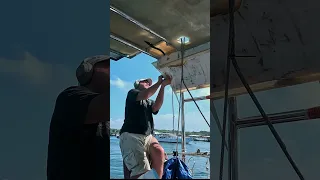
Finally fixing the aft section #boat #diyproject
The weather is unbelievable, and I'm pushing forward with my current diy projects. This week, we're making good progress on the boat, focusing on boat maintenance and essential repair work. It's a journey of how I approach this diy boat project, showing the build in my own way.
My Favorite Escape: The Best Moments From The Road 🏍️✨ #bikerlife
Clip from my latest upload. I work on my Hardtop project and are having great progress. Beautiful weather in Bali, so I even take you with me on a Sunday Fun day roadtrip visiting the production of hand made vintage cars.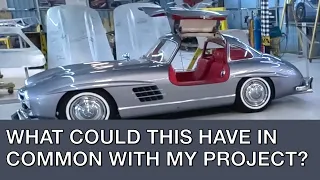
Sailing, Choppers, and Classic Cars | A Sunday Fun Day
Hardtop hard dodger built on a Bavaria 55 Cruiser, all done at a mooring where the cockpit is the only workshop. Visiting Tuksedo Studio, where they handcraft vintage cars like Mercedes 300 SL, Porsche 365, Aston Martin, Toyota GT and more. We ride a nice chopper motorcycle on our Sunday fun day ro...