How to Download FREE Satellite Images in 2020 - Ep 113 Sailing Luckyfish
Support Sailing Luckyfish
At WeBoating.com, we profoundly acknowledge the unwavering dedication that Sailing Luckyfish invests in crafting each and every video or voyage. Their passion for delivering exceptional ocean content shines through every frame, and it's a labor of love that deserves your attention.
We invite you to watch their captivating videos here and actively engage with their content, including their social media links above. Liking, commenting, and sharing their work goes a long way in fueling their creative fire.
We're also inviting you to explore the gear, sponsorships, and boat partnerships highlighted in the "How to Download FREE Satellite Images in 2020 - Ep 113 Sailing Luckyfish" video description, or directly on YouTube. By engaging with these offerings or purchasing services and items, you directly support Sailing Luckyfish, their collaborators, and the brands they're associated with.
To ensure you never miss an offshore update, consider visiting their official YouTube Channel to subscribe, like, and join their community directly.
If you have any feedback, corrections, or additional information about Sailing Luckyfish or their videos, please use the comment form below to share your thoughts with us.
Thank you for being a part of our community and supporting the creators we cherish. Your time and support truly matter!
How to Download FREE Satellite Images in 2020 using SAS Planet and load them into OpenCPN in 5 minutes!
All the links you need are below. And, you can copy the text summary to use as a reference.
Many thanks to all the contributors for creating these open source tools.
01:11 INSTALL THE SOFTWARE (Links Below)
Firstly, install open CPN. Now go to SAS Planet in the link provided and download the zip file. Find the file and downloads, right click and extract to your root directory. You don't install SAS planet and state. Copy the executable and send to your desktop. Double click the icon to open and scroll through the list of imagery available. SAS planet has done all the work for you. Linking to Google maps, Google satellite images, satellite images from Bing sonar charts from Navionics and many more.
02:02 SELECT BEST IMAGERY
Move to your area of interest and choose what imagery gives you the best detail zoom in and find the limit where no more detail is offered. 02:20:18 -- 02:36:27 3. FIND THE ZOOM LIMIT The zoom limit is shown in the bottom left hand corner. I find 18 is about the limit for satellite imagery, zoom out and choose a broader zoom level. For general scale viewing 14 works pretty well.
02:37 SELECT YOUR AREA
Now I go to operations selection manager and select polygonal selection. Click the battery of the area of interest and click the green checkbox to finish. 02:54:13 -- 03:11:25 5. DOWNLOAD THE DATA Now with selection manager, open on the download tab, select zoom levels, 14 and 18. Make sure your map overlay is set to the imagery you chose in this case. Bing satellite maps and click start.
03:19 EXPORT MBTiles FILE
Now, we need to export this cashed image as an MBTile file. This is a high resolution geo referenced database that open CPN can read, go to operations, selection manager and select last selection. Open the export tab. Choose the MB tiles. 1.2 option. Go to the save to box and choose the directory where you store your charts. Check the zoom levels you used previously. Leave everything else on the defaults and click start the export. Doesn't take long.
04:12 LOAD NEW IMAGE INTO OpenCPN
We're almost there. Now start OpenCPN go to options and main chats. Add the directory. You just stored your MB tile file. If the directory is not already there, click scan charts and update database, click apply and vain. Okay. You will see a red box outlining the satellite images. You just installed. Select the image layer to view your new satellite imagery, zoom in to see firstly, your 14 level zoom. And then you are 18 levels. Zoom pan around to confirm you have what you expected.
Links:
Download OpenCPN here: https://opencpn.org/OpenCPN/info/downloadopencpn.html
Download SASPlanet here: http://gdayii.ca/Downloads/Sasplanet.zip
Good overview and history here: https://www.sail-worldcruising.com/news/225719/Mbtiles-for-OpenCPN
MUSIC CREDIT
05:03 Tatono - Revolving Feeling https://soundcloud.com/tatono/revolving-feeling
Sailing Luckyfish
Discover the world-proven Wharram Tiki 38 journey of Sailing Luckyfish. A high-authority legacy reference for minimalist catamaran cruising and the 'KISS' philosophy.
Channel Information:
Social Media Links:
Latest Episodes from Sailing Luckyfish
Explore the most recent voyages. Subscribe to the channel to never miss an update!
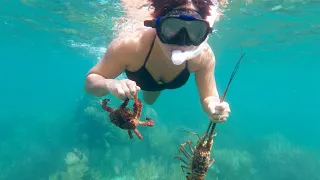
Catch Clean & Cook Lobster & Crab the Belizean Way – Ep 120 Sailing Luckyfish
This week, Zaya aka Island Girl Catch Clean Cook Lobster & Crab Belizean Way. Belize delivers the best snorkeling we've had. Relax to a bonus extended version by becoming a Luckyfish supporter on Patreon. Just $2 a month from you makes all the difference. Become a Patreon here: New Lucky...
Buddy Sailing with a CLASSIC CATAMARAN – Ep 119 Sailing Luckyfish
Sailing Belize again at last after 60 days in self-isolation and another 2 weeks on the hardstand. Liked this? Check out our latest LIVE video shot yesterday "Search for a hurricane hole" at We meet Jeff, Theresa, Deon and Vaughn from Daytripper Charter Catamarans ( and visit Scipio Cay....
🔴 Luckyfish LIVE Part 2 – Search for a Hurricane Hole in Belize
Enjoyed this? Watch Part 1 here When in Belize come meet Jeff, Theresa and the crew at Daytripper Catamaran Charters here at :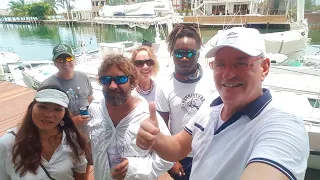
🔴 Luckyfish LIVE Part 1 – Search for a Hurricane Hole in Belize
Enjoyed this? Watch Part 2 here: When in Belize come meet Jeff, Theresa and the crew at Daytripper Catamaran Charters here at :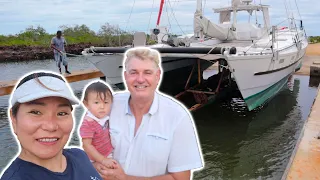
Damaged Plywood Boat SOAKS for 60 DAYS – Ep 118 Sailing Luckyfish
Damaged plywood boat soaks for 60 days. We get permission to move the vessel and haul-out to see how much water we soaked up in 60 days since the grounding. See the grounding here: Luckyfish needs your support! $2 a month from you makes all the difference. Become a PATREON: New Luckyfish Merch a...